On this page
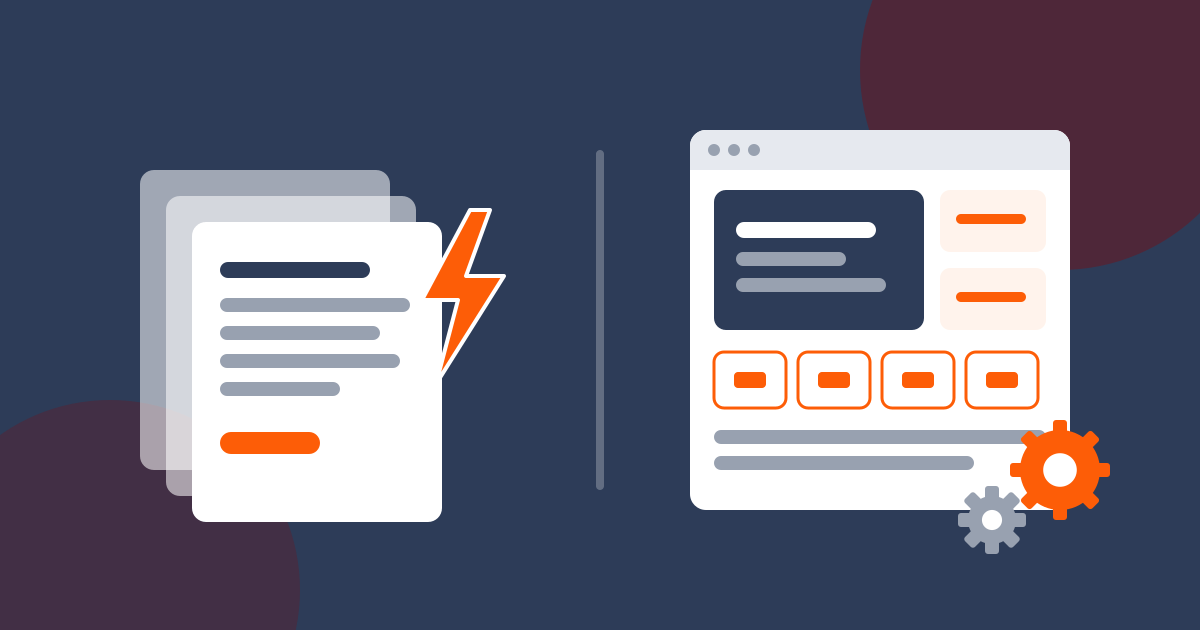
Choose a static website if your site is mainly a brochure or a lead page that changes a few times a month: it loads faster, has far less to attack and needs almost no upkeep. Choose WordPress if you will publish posts or products every week, want to run a shop or bookings through plugins, or need several people editing the site from a dashboard.
The build price can be the same for both. The real difference shows up after launch: WordPress needs regular plugin, theme and core updates, which you either do yourself or pay someone to do, while a static site has no plugins to update. We build both and sell web design, so we have an interest here, but we recommend WordPress whenever it is the better fit.
Key takeaways
- A static site is a set of ready-made HTML files. WordPress builds each page from a database using PHP, unless a cache stores a copy.
- WordPress is the most used website platform, so help, plugins and developers are easy to find.
- Patchstack counted 11,334 new WordPress ecosystem vulnerabilities in 2025, and 91% of them were in plugins.
- On our prices, a 5-page site costs R5,030 over three years on either platform, but WordPress with a maintenance plan comes to R32,030.
- Static sites can still have forms, blogs and editors; bigger shops are easier on WordPress with WooCommerce.
What Is a Static Website?
A static website is made of finished HTML, CSS and JavaScript files. MDN describes static sites as having no server-side logic, so every visitor gets the same content for a given URL.
Few static sites are typed out by hand. A static site generator such as Astro, Hugo or Eleventy turns your content and a design template into the files in one build step, and rebuilds them when something changes.
What Is WordPress?
WordPress is free, open-source software that you install on web hosting. This article is about self-hosted WordPress from WordPress.org; WordPress.com is a separate hosting service that runs the same software. It stores your pages, posts and settings in a MySQL or MariaDB database, and PHP assembles each page when someone asks for it. You manage everything from a login dashboard, and you can add features with themes and plugins. The WordPress.org directory lists more than 70,000 free plugins.
It is by far the most used platform: in November 2026, W3Techs reported that WordPress powers 39.4% of all websites and 58.2% of websites whose content management system it can identify.
Static Website vs WordPress at a Glance
| Static website | WordPress | |
|---|---|---|
| How pages are made | Built once, served as files | Assembled from a database on request, or from a cache |
| Speed | Very fast out of the box | Fast with caching and careful plugin choice |
| Security | No database or login on the public site | Plugins, themes and logins need regular updates |
| Editing | Simple editor, Git-based CMS or your designer | Full dashboard for anyone with a login |
| Forms | Need a small server function or form service | Add a form plugin |
| Online shop | A few products with payment links or buttons | WooCommerce, with PayFast, Yoco or Peach plugins |
| Upkeep | Very little | Regular updates and backups |
| Our build time | Usually within 24 hours of your content | About a week |
Speed: Why Static Sites Usually Load Faster
A static page is already built, so the server sends it straight away, often from a content delivery network close to the visitor. A WordPress page has to run PHP and query the database first, and plugins that add scripts or styles make it heavier.
The HTTP Archive Web Almanac 2024 found that 40% of WordPress sites passed Core Web Vitals on mobile in 2024, up from 28% in 2023, against a 51% pass rate for all origins in June 2024. In the chapter's chart of the ten biggest content management systems, only Tilda scored lower. Google's own targets are a Largest Contentful Paint within 2.5 seconds, an Interaction to Next Paint under 200 milliseconds and a Cumulative Layout Shift under 0.1, according to Google Search Central.
WordPress can be fast. Good hosting, page caching, optimised images and a light theme close most of the gap, and our guide to speeding up a WordPress website shows how. A static site simply starts from a faster position. That matters in South Africa, where most web page views come from phones (see our South Africa website statistics) and many people buy data in small bundles, so a lighter page costs your visitors less and loads better on a weak signal.
Security and Maintenance
This is the biggest practical difference. Patchstack's State of WordPress Security in 2026 report counted 11,334 new vulnerabilities in the WordPress ecosystem in 2025, 42% more than in 2024. 91% were in plugins and 9% in themes, while WordPress core had only six, all low priority. Patchstack also found that 46% of these vulnerabilities had no fix from the developer by the time they were made public, and that the most heavily targeted ones were typically attacked within about five hours of disclosure (a weighted median, per Patchstack).
WordPress installs minor core security releases by itself, but plugin and theme auto-updates are opt-in, one by one. So someone has to watch updates, test that nothing breaks and keep backups. Our article on WordPress security for South African sites covers the basics.
A static site has no database, no PHP and no login page on the public site, so most of those attacks have nothing to hit. Your domain, hosting account and form handler still need strong passwords, but there are no plugins to update every week.
Editing: Who Updates the Site?
WordPress wins on editing freedom. Anyone with a login can add a page, write a post, swap a photo or change a menu, and staff can have accounts with limited permissions.
Static sites have three common options:
- A simple backend editor for text and photo changes. All our website packages include one.
- A Git-based CMS such as Decap CMS or TinaCMS, which gives you an editing screen and saves your content as files in the site's code repository. The site then rebuilds, so a change can take a few minutes to appear.
- Your designer makes the change for you. This suits owners who update the site a few times a year.
SEO: Does Google Prefer Either One?
Nothing in Google's documentation favours one platform over the other. Google says it always tries to show the most relevant content, even when page experience is poor, and its JavaScript SEO guide calls pre-rendering "a great idea" because it makes sites faster for users and crawlers. Static sites are pre-rendered by design. WordPress also sends finished HTML to Google, so both can rank well.
What decides rankings is the same on both: useful pages for each service and area, clear titles and headings, structured data, a sitemap, internal links and good speed. WordPress uses SEO plugins for this; a static site builds it into the templates.
Forms, Shops and Other Features
Contact and quote forms
An HTML form only sends data; something on a server has to receive it. On a static site that is usually a small serverless function, such as Cloudflare Pages Functions, or a hosted form service such as Netlify Forms. WordPress has form plugins that do this for you. On either platform, a form that collects names, emails or phone numbers falls under POPIA, so add a consent line, a privacy notice and spam protection. Also check where the form data ends up. A hosted form service or serverless database may store submissions outside South Africa, and section 72 of POPIA sets conditions for sending personal information across the border, so name the service in your privacy policy. A WordPress form plugin on South African hosting keeps any entries it stores on that server. Our POPIA website checklist covers what to include.
Online shops
For a real shop with stock, delivery options and order emails, WordPress with WooCommerce is the practical choice. WooCommerce is free and has more than 7 million active installations on WordPress.org, and South African gateways connect through their own plugins. A static site can sell a handful of products or services with payment links or buttons from a South African provider, such as Yoco Payment Links or Payfast Pay Now buttons, which send the buyer to the provider's secure payment page. There is no cart, stock count or order history, so it is not a shop system.
Bookings, member areas and site search are also quicker to add on WordPress.
What Each Option Costs Over Three Years
Here is a worked example for a 5-page business site on our Website Special package. It costs R2,950 once-off and includes the first year of Gold hosting and a free .co.za domain registration, whether we build it static or on WordPress. From year two, Gold hosting is R790 a year and the .co.za domain is R250 a year. Our Website Maintenance plan, which covers WordPress core and plugin updates, backups, testing and malware scans, is R750 a month.
| Item | Static | WordPress, you do updates | WordPress with maintenance plan |
|---|---|---|---|
| Website Special build (year 1) | R2,950 | R2,950 | R2,950 |
| Gold hosting, years 2 and 3 | R1,580 | R1,580 | R1,580 |
| .co.za domain, years 2 and 3 | R500 | R500 | R500 |
| Maintenance, 36 months | - | Your time | R27,000 |
| Layout or content changes beyond the editor | Designer time, quoted per change | Usually DIY in the dashboard | Usually DIY in the dashboard |
| Three-year total | R5,030 | R5,030 | R32,030 |
A static site saves on updates, but any change the editor cannot do, such as a new page layout or a new section, needs a developer. If you expect to change the design often, count that cost too. The totals above use our standard prices; see our Black Friday specials for current offers.
On paper, static and self-managed WordPress cost the same. The difference is the hours spent on updates, testing and fixing what an update breaks. Hand that to a professional and WordPress costs several times more over three years. For wider price ranges in the market, see our guide to how much a website costs in South Africa.
Hybrid Options: Getting a Bit of Both
- Static export of WordPress: plugins such as Simply Static turn a WordPress site into static files. You edit in WordPress and publish the static copy. In the free version, forms, search and comments do not work on the static site; the Pro version, at US$99 a year per site, adds forms and search.
- Headless WordPress: WordPress is used only as the editing back end, and a static site generator builds the public pages from it. You run two systems, so it suits larger sites with a developer.
Who Owns the Site and Can Someone Else Take It Over?
WordPress is the easier platform to hand over. Almost any web developer in South Africa can work on it, and it runs on any standard cPanel host. A static site built with a generator like Astro needs someone who knows that tool, plus access to the code repository and the build settings. If you choose static, ask for the repository, the domain and the hosting logins in your own name, so you can move to another developer later.
How to Choose
When a static website fits
- Your site explains your services and gets people to call, WhatsApp or fill in a form.
- You change it a few times a month or less.
- You want the lowest upkeep and the least to go wrong.
- You need the site live quickly.
When WordPress fits
- You will publish blog posts, news or products every week.
- You need an online shop, bookings, memberships or site search.
- Several people need to edit the site without a developer.
- You want to add features yourself through plugins later.
- You want the widest choice of developers to take over later.
- You are willing to keep it updated, or to pay for website maintenance.
If you are unsure, look at how often you updated your last website. Many owners choose WordPress to blog every week and then log in a few times a year. In that case you pay for upkeep on features you do not use.
Moving From One to the Other
You are not locked in either way. When you move, keep every page on the same URL, trailing slashes included, and add a 301 redirect for any address that has to change, so Google and old links find the new page. Check titles, headings and forms, and keep the old site until everything works.
Frequently Asked Questions
Is a static website better than WordPress?
For most small service businesses that mainly need enquiries, yes. If you publish weekly, sell many products or need bookings and logins, WordPress is the better tool.
Is a static website cheaper than WordPress?
The build and hosting can cost the same: on our prices, R5,030 over three years for a 5-page site. WordPress costs more once you add maintenance, which is R750 a month with us.
Can I edit a static website myself?
Yes, for text and photos. See the editing section above for what needs a developer.
Can a static website have a contact form?
Yes. It needs a serverless function or a hosted form service to receive the data, plus POPIA consent and spam protection.
Can I convert my WordPress site to static?
Yes. You can export it with a plugin such as Simply Static, or rebuild it with a static site generator. Either way, keep the same URLs and redirect any that change.
Get the Right Website Built
Not sure which suits you? Tell us what the site needs to do and how often you will update it, and we will recommend static or WordPress honestly. Our web design packages start at R1,450 once-off for a one-page site and R2,950 for up to 5 pages, with the first year of hosting, a free .co.za domain, email on your domain and an editor included. If you go with WordPress, our WordPress hosting plans start at R79 a month or R790 a year.
Sources
- W3Techs: Usage statistics and market share of WordPress
- Patchstack: State of WordPress Security in 2026
- HTTP Archive: Web Almanac 2024, CMS chapter
- Google Search Central: Understanding Core Web Vitals
- Google Search Central: Understanding page experience
- Google Search Central: JavaScript SEO basics
- Simply Static: Pricing
- MDN: SSG (static site generator)
Web Design Hosting SA has hosted and built websites for South African businesses since 2009. Prices in our guides come from our live price list and are checked when a guide is updated. How we write our guides. Spotted something out of date? Tell us.